
- MAIN
- Bio Studio
- EmeraldAI
- أخر الأخبار Mine
- EXPLORE
- الصفحات
- المجموعات
- المناسبات
- Pro Events
- Reels
- المدونات
- المتجر
- التمويل
- مفاوضاتي
- Courses
- Communities
- المطوريين
-
 ViewGems Tutorials
-
 ViewGems Bonuses
-
 Visit: Galactic Global Network
-
 Download ViewGems Apps
-
ViewGems Tutorials
-
ViewGems Bonuses
-
Visit: Galactic Global Network
-
Download ViewGems Apps
Vector Art Conversion Services for Logos, Printing, and Branding
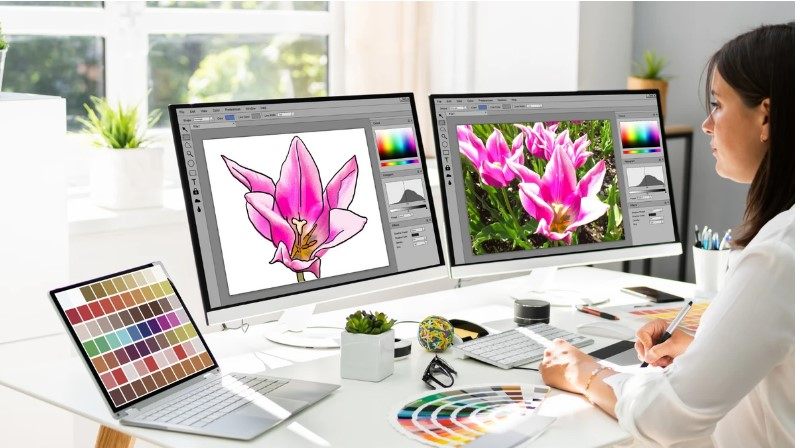
Good artwork is a key part of strong branding. A logo must look clear on a small card and a large sign. A print design must stay sharp on shirts, banners, and labels. This is where Vector Art Conversion Services can help. They turn pixel-based art into clean vector files that can be resized without losing sharp edges.
What Is Vector Art Conversion?
Vector art is made with lines, curves, shapes, and points. It is not made from tiny pixels like a JPG or PNG.
This makes vector art useful for many types of work. You can make the design bigger or smaller while keeping its clean look.
Common vector file types include:
-
AI
-
EPS
-
SVG
-
PDF
Each file type has its own use. The best choice depends on the job and the software or print method being used.
Raster vs. Vector Art
A raster image is made from pixels. If you make it very large, the edges may look rough or blurry.
A vector file works in a different way. It uses paths and shapes. These paths can be changed in size without the same loss of sharpness.
For this reason, vector art is often used for logos and print work.
Why Logos Need Vector Art
A logo is used in many places.
You may see it on:
-
Business cards
-
Shirts
-
Signs
-
Product labels
-
Websites
-
Storefronts
-
Boxes
-
Social media
-
Vehicle graphics
The logo must look good at many sizes.
A small JPG may look fine on a screen. But it may not work well for a large sign.
A clean vector version gives you more freedom. It can be scaled for many uses while keeping the lines and shapes clear.
Clean Lines Make a Difference
Logos often have curves, text, and small shapes.
These parts need clean paths.
A good vector file has smooth edges. It should not have rough points or broken lines.
This can make the logo look more polished in print and on screen.
How Image to Vector Conversion Works
Vector conversion is not always a one-click task.
A skilled designer first looks at the source image. They check the shapes, colors, text, and fine details.
Then they rebuild the art as vector paths.
Step 1: Check the Source Image
The designer checks the size and quality of the image.
A clear image is easier to work with. A blurry image may need more manual work.
Step 2: Trace the Main Shapes
The main shapes are recreated with vector paths.
The goal is to keep the design close to the source art.
Step 3: Clean the Paths
Extra points and rough curves can make vector art hard to edit.
The designer cleans the paths and makes the curves smooth.
Step 4: Set the Colors
Colors are matched as closely as possible to the source art.
For print work, the right color setup may also be needed.
Step 5: Check the Final File
The file is opened and checked at more than one size.
This helps find small issues before the file goes into production.
Why Clean Paths Matter
A vector file can have many points. More points do not always mean better work.
Too many points can make curves hard to edit. They can also cause problems in some print and cut tasks.
Good vector work uses clean paths where they are needed.
Smooth Curves
Curves should look natural.
A circle should look like a circle. A curved logo mark should not have small bumps.
Clean curves help the design look sharp at both small and large sizes.
Vector Art for Printing
Vector files are useful for many print jobs.
They can be used for:
-
Business cards
-
Flyers
-
Posters
-
Signs
-
Banners
-
Labels
-
Stickers
-
Product packaging
-
Apparel
Large-Format Printing
Large signs need sharp artwork.
A small raster image may look fine on a phone but poor on a large banner.
A vector file can be scaled to a much larger size without the same pixel blur.
This makes vector art a strong choice for large print work.
Vector Art for Apparel
Clothing brands often need artwork that can work across many products.
A logo may be used on a shirt, hoodie, cap, bag, or jacket.
A vector master file makes it easier to resize and edit the art for each item.
Screen Printing
Vector files are often useful for screen printing because shapes and colors can be separated with care.
Simple artwork can be turned into clean print-ready shapes.
Heat Transfer
Vector art can also be used for some heat transfer work.
The exact file needs depend on the method and equipment used.
Vector Art for Branding
Branding is more than a logo.
It includes colors, fonts, shapes, and other design parts.
These items need to look the same across many places.
A clean vector logo gives a brand a strong base.
Keep Your Brand Consistent
A logo should not look blurry on one item and sharp on another.
A vector master file can help keep the same design across different sizes and uses.
This can make a brand look more trusted and well planned.
Vector Art for Embroidery
Vector artwork is also useful before embroidery digitizing.
But there is an important point.
A vector file is not the same as an embroidery file.
A vector file has paths and shapes. An embroidery file has stitch data.
The vector art can act as a clean source for the digitizer. The digitizer then decides how the design should be sewn.
Why This Helps
Clean vector art can make it easier to see:
-
Shape edges
-
Text
-
Color areas
-
Small details
-
Design size
This gives the digitizer a better base for the next step.
What Makes a Good Vector Conversion Service?
Choosing the right service is important.
Not all vector files are made with the same level of care.
Check the Designer's Experience
Look for a service that has worked with logos, print art, and branding.
Ask to see real samples.
Look at the edges and curves. Check if the artwork looks clean and close to the source.
Ask About File Types
Before you order, ask which files you will receive.
You may need:
-
EPS for print work
-
AI for editing
-
SVG for web or cut work
-
PDF for sharing and print
The right choice depends on how you plan to use the artwork.
Ask for Editable Artwork
A good vector file should be easy to edit.
You may need to change:
-
Colors
-
Text
-
Size
-
Shapes
-
Line width
Editable art can save time when your brand grows or your print needs change.
Check Color Setup
Color is important in print work.
Screen colors and print colors can look different.
Ask the designer which color mode is best for your job. Your printer may have its own needs.
This small step can help avoid color issues later.
Avoid Poor Auto-Trace Results
Some software can trace a picture with one click.
This can be useful for simple art. But it does not always create clean results.
Auto-trace may add too many points. It may also create rough curves or unwanted shapes.
Manual Cleanup Matters
A skilled designer checks the traced art by hand.
They remove extra points and fix rough areas.
This can make the file easier to edit and better for production.
How Vector Conversion Can Save Time
A clean vector file can be used for many future jobs.
You may not need to recreate your logo each time you need a new product.
One good master file can be used as the base for:
-
Print work
-
Apparel
-
Signs
-
Packaging
-
Web graphics
-
Embroidery
-
Promotional items
This makes vector conversion a useful long-term step for businesses.
Common Vector Conversion Mistakes
Using a Low-Quality Source
A very small image can make the work harder.
Send the best source file you have.
Keeping Rough Edges
Small bumps can become easy to see when the art is enlarged.
Paths should be checked and cleaned.
Using Too Many Points
Extra points can make the file hard to edit.
Simple paths are often easier to work with.
Ignoring the Final Use
A file for embroidery may need different care from one for a large sign.
Tell the designer how you plan to use the art.
Forgetting Color Needs
Print work may need a certain color setup.
Always check the needs of the printer before final delivery.
How to Choose the Right Service
Before hiring a vector conversion service, ask a few simple questions.
Do They Show Real Samples?
Look for work close to your type of design.
Do They Offer the File You Need?
Make sure the final format works with your software or printer.
Can They Handle Small Details?
This matters for logos with small text and fine shapes.
Do They Offer Revisions?
A revision can help fix a small issue before production.
Do They Understand Your End Use?
A designer should know if the file is for print, apparel, signs, web use, or embroidery.
Why Professional Work Is Worth It
Doing vector work by hand can take time. It also takes skill to make paths clean and easy to edit.
A professional can handle the small details that are easy to miss.
Absolute Digitizer can help businesses prepare clean artwork for different design and production needs. The goal is to create useful files that are clear, editable, and ready for the next step.
The Value of a Good Master File
Think of your vector file as the main copy of your logo.
Keep it safe.
You can use it later for new print jobs, apparel, signs, and other brand needs.
A good master file can also reduce repeat design work.
Final Thoughts
Vector art is a useful base for logos, printing, and branding. It gives you artwork that can be resized while keeping clean lines and sharp shapes.
The conversion process should go beyond a quick auto-trace. A skilled designer checks the art, rebuilds the paths, cleans the curves, sets the colors, and checks the final file.
Start with the best source image you have. Tell the designer how you will use the art. Ask for the file types you need. Check samples and ask about revisions.
With careful vector conversion, your logo and other artwork can be ready for many jobs. From business cards and signs to shirts and embroidery, a clean vector file gives your brand a strong and useful design base.
For businesses that need dependable artwork, Absolute Digitizer can be part of a workflow that turns basic images into clean vector files ready for print, branding, and other production needs.
- Art
- Business & Services
- Beauty, Cosmetics and Selfcare
- Causes
- Credit & Finance
- Crafts
- Dance
- Drinks
- Film
- Fashion
- Fitness
- Food and Culinary
- Gaming: Console & PC
- Gardening
- Health
- الرئيسية
- Jewelry and Precious Gems
- Literature
- Music
- Networking
- Numerology
- أخرى
- Party
- Religion
- العلاقة
- Science
- Shopping
- Software Tech
- Sexual: Health, education & Intimacy
- Sports
- Spirituality
- Theater
- Technology
- Wellness
- ViewMe
- Zodiac & Horoscopes

 English
 French
 Spanish
 Portuguese
 Deutsch
 Turkish
 Dutch
Dutch
 Italiano
 Russian
 Romaian
 Portuguese (Brazil)
 Greek
Greek