


 LearnGems
 Reel Series
 LIVE CREATOR CENTER
 Visit: Galactic Global Network
 Download Mobile Apps
Feature - Pages
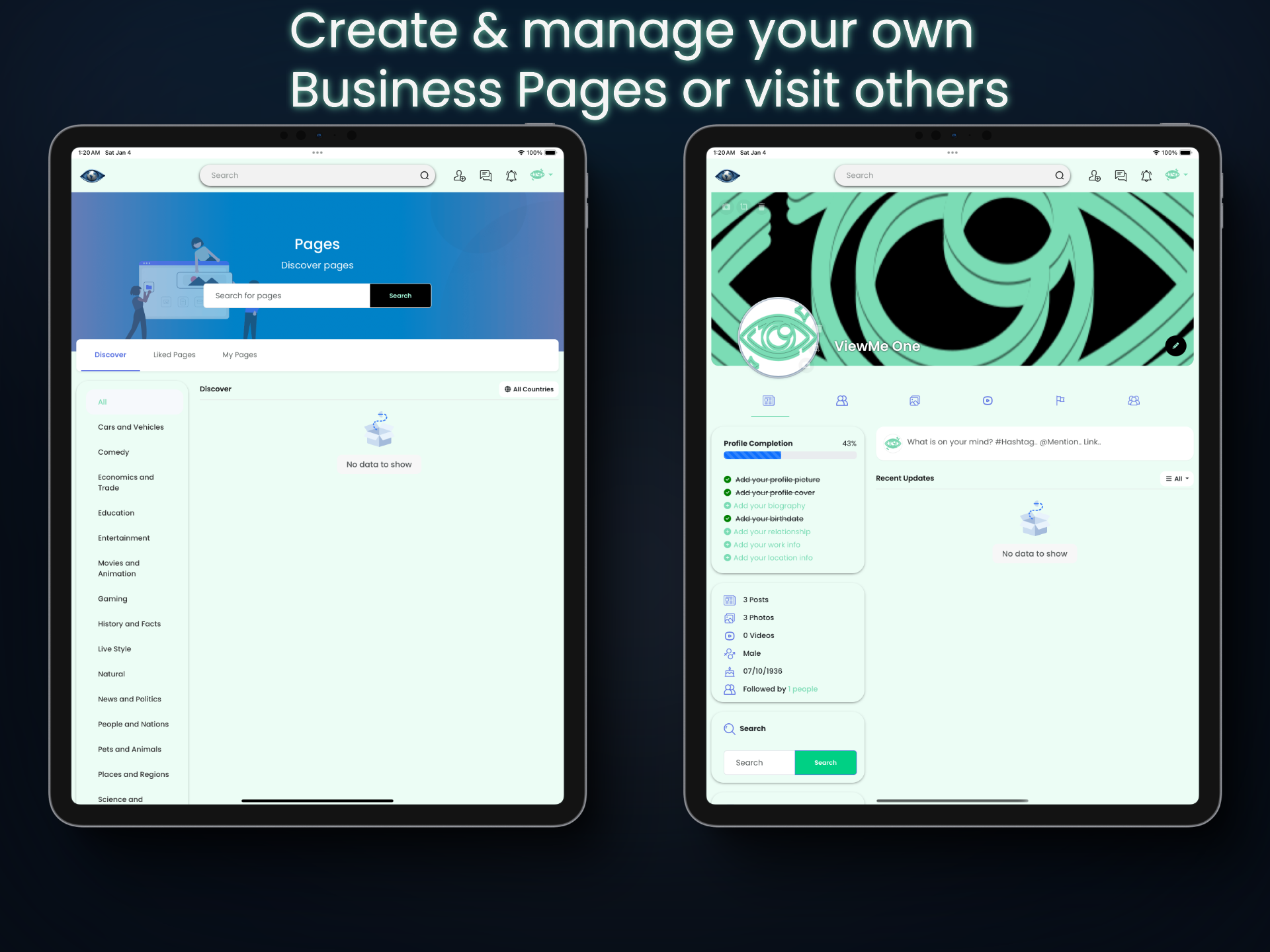
What are Pages?
ViewMe 'Pages' are public profiles created by businesses, brands, organizations, or public figures to share content, promote products, and engage with followers. Unlike personal profiles, which represent individuals, Pages are designed for professional use and offer tools like analytics and advertising options. Compared to groups, which are community-focused spaces for users to interact around shared interests, Pages are more one-sided, with the Page owner broadcasting content to an audience.
'Pages' Can be used to seperate your main ViewMe profile account page from your own created business or brand page.
Create your own separate influencer, business, celebrity or brand 'Pages'. No need to create another profile, members can manage their own Pages, add admins, make 'posts', upload content, pictures etc..
Monetize your Page
- Profit your creativity and turn on monetization feature to monetize their own Pages exclusive content. Create your own subscription packages for paid access from weekly, monthly or yearly charge access., or charge by the post.
Pages can also create their own:
- Articles/blogs
- Products to sell through ViewMe Marketplace
- Create Offers
- Create Courses
- Reels and Videos
- Jobs
- Live Videos
- and more...
Where to find user created pages?
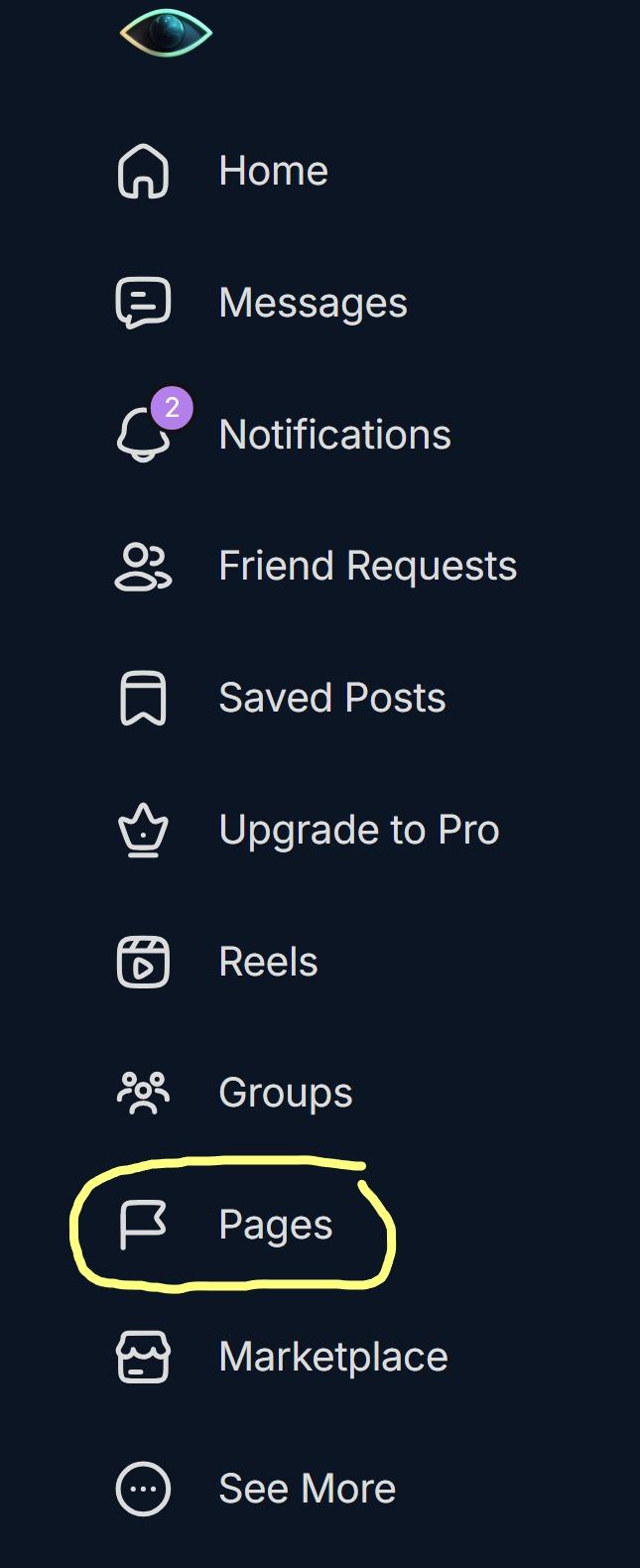
- Select the main menu tab or symbol
- Next selct 'Pages' (usually have a flag sympol next to the word)
- Within the Pages menu, lists of user created pages will show.
How to create a Page:
- Select the 'Plus' Icon or add post symbol the same way your would create a new post (depending on your personal selected theme)
- Next select 'Create Page'
- Next the Create New Page menu will popup on your screen
- From here: Add a name to your page(dont worry, this can be changed at anytime,
- Next, add the page Display Name and 'Username',
- add the page category to show under for users to search
- add the country of the Page origin
- add the 'About' description for the page the consists of the pages basic or in-detail information for what the page is about.
- Select Create, Finished..
-- #Pages is only available with the Pro Package #Diamond Membership ($9usd per/month)
Get your Pro Package Membership here: https://viewme.global/packages/


- Art
- Business & Services
- Beauty, Cosmetics and Selfcare
- Causes
- Credit & Finance
- Crafts
- Dance
- Drinks
- Film
- Fashion
- Fitness
- Food and Culinary
- Gaming: Console & PC
- Gardening
- Health
- Home
- Jewelry and Precious Gems
- Literature
- Music
- Networking
- Numerology
- Altre informazioni
- Party
- Religion
- Relazione
- Science
- Shopping
- Software Tech
- Sexual: Health, education & Intimacy
- Sports
- Spirituality
- Theater
- Technology
- Wellness
- ViewMe
- Zodiac & Horoscopes

 English
 Arabic
 French
 Spanish
 Portuguese
 Deutsch
 Turkish
 Dutch
Dutch
 Russian
 Romaian
 Portuguese (Brazil)
 Greek
Greek